


How to Connect a CD Player to a Bluetooth Speaker
Yes, you can connect a CD player to a Bluetooth speaker—but only if the CD player can transmit Bluetooth audio. Look for wording such as Bluetooth transmitter, Bluetooth output, BT OUT, or two-way Bluetooth.
If the player only works as a Bluetooth receiver, it can play music sent from your phone, but it cannot send CD audio to a wireless speaker. That one distinction explains most of the confusion around Bluetooth CD players.
The quick answer: check the direction of the audio
Bluetooth audio always has a source and a destination. The Bluetooth SIG describes these roles as an audio source, which transmits audio, and an audio sink, which receives it.
| What you want to do | CD player mode needed | Audio direction |
|---|---|---|
| Play a CD through a Bluetooth speaker | Transmitter / BT OUT | CD player → speaker |
| Listen to a CD with wireless headphones | Transmitter / BT OUT | CD player → headphones |
| Play phone music through the CD player's speakers | Receiver / BT IN | Phone → CD player |
| Do all three | Two-way Bluetooth | Audio can travel in either direction, one mode at a time |
The version number alone does not answer this question. A product labeled “Bluetooth 5.0” or “Bluetooth 5.3” may still support only one direction. Read the connection description, not just the Bluetooth logo.
Bluetooth transmitter vs. receiver: what is the difference?
A Bluetooth transmitter sends CD audio out
In transmitter mode, the CD player is the audio source. It reads the disc, converts the audio for wireless transmission, and sends it to a compatible Bluetooth speaker or pair of headphones.
This is the mode you need if your goal is:
- CD player → Bluetooth speaker
- CD player → wireless headphones
- CD player → compatible Bluetooth earbuds
Product pages may call this TX mode, Bluetooth out, BT transmit, or wireless CD audio output.
A Bluetooth receiver brings phone audio in
In receiver mode, the CD player acts more like a Bluetooth speaker. Your phone, tablet, or laptop sends audio to the player, and the sound comes through the player's built-in speakers or connected audio system.
This direction is:
- Phone → CD player
- Tablet → CD player
- Laptop → CD player
Receiver mode is useful, but it does not automatically mean the player can connect to a wireless speaker. If both the CD player and the speaker are waiting to receive audio, neither device is sending anything.
Two-way Bluetooth supports both jobs
A two-way Bluetooth CD player can work as either a transmitter or a receiver. You select the mode that matches what you want to do.
The two functions usually do not operate at the same time. That is normal: even full-size network CD players may require users to switch between Bluetooth transmit and receive functions rather than using both simultaneously. Always follow the instructions for your exact model.
Three ways to connect a CD player to a speaker
1. Use a CD player with built-in Bluetooth transmit
This is the cleanest wireless setup because you do not need an extra adapter.
Before buying, confirm that the product description specifically says it can send CD audio to Bluetooth headphones or speakers. Phrases such as “connect your phone by Bluetooth” describe receiver mode and are not enough.
Once the connection is established, you can leave the player on a shelf, desk, or bedside table while the speaker sits where it sounds best in the room.
2. Add an external Bluetooth transmitter to an older CD player
An older player can still work wirelessly if it has an audio output. Connect a powered Bluetooth transmitter to one of these outputs:
- 3.5 mm headphone output
- 3.5 mm line output
- stereo RCA line output, using the correct adapter
- optical or coaxial digital output, if the transmitter supports that input
Check the label carefully. AUX IN is an input and will not send CD audio to the transmitter. You need a headphone, line, or compatible digital output.
After connecting the adapter, put the transmitter and speaker into pairing mode. The transmitter becomes the Bluetooth source; the speaker remains the receiver.
3. Use a wired AUX connection
Bluetooth is not the only simple option. If the CD player has a headphone or line output and the speaker has an AUX input, a cable may be easier and more predictable.
A wired connection avoids pairing problems and does not add a Bluetooth encoding step. It is also useful as a backup when several wireless devices in the room keep reconnecting automatically.
Before buying a cable, check whether each port is an input or output and whether you need 3.5 mm-to-3.5 mm or 3.5 mm-to-RCA.
How to pair a Bluetooth CD player with a speaker
Button names vary, but the connection sequence is usually similar.
- Confirm that the player supports Bluetooth transmit. Check the product page or manual for TX, BT OUT, transmitter, or wireless audio output.
- Turn off Bluetooth on nearby phones and tablets temporarily. This stops the speaker from reconnecting to a familiar device before the CD player can find it.
- Put the speaker into pairing mode. Its Bluetooth indicator will usually flash or pulse.
- Select Bluetooth transmit on the CD player. Do not choose receiver, BT IN, or phone-input mode.
- Keep the devices close during the first connection. If the player pairs automatically, remove other active Bluetooth speakers or headphones from the immediate area.
- Wait for the connection indicator to become steady. Then start a disc you already know plays correctly.
- Adjust the listening volume. Depending on the equipment, volume may be controlled from the speaker, the player, or both.
Some compact players do not have a screen that lets you choose from a list of devices. They may connect to the nearest available compatible speaker or reconnect to the last one used. Pairing is easier when only the intended speaker is in pairing mode.
How to connect Bluetooth headphones or earbuds
The same transmitter requirement applies to wireless headphones.
Place the headphones or earbuds in pairing mode, select Bluetooth transmit on the CD player, and keep the devices close until the connection is complete. If the earbuds keep reconnecting to your phone, turn off the phone's Bluetooth temporarily or remove the earbuds from its active connection list.
Products such as AirPods may work with a compatible Bluetooth audio transmitter, but a screenless CD player can make device selection less predictable. Do not assume compatibility from the Bluetooth version alone; check the CD player's manual and the headphone maker's pairing requirements.
Why your phone connects but your Bluetooth speaker does not
This usually means the CD player is operating only as a receiver—or it is currently set to receiver mode.
Your phone is designed to send audio, so it can connect to a receiving CD player. A typical Bluetooth speaker is also designed to receive audio. If the CD player does not offer transmitter mode, the two devices are both waiting for an audio source.
The solution is one of the following:
- switch the player from BT IN/RX to BT OUT/TX;
- use an external transmitter connected to the player's audio output;
- connect the speaker by AUX cable;
- choose a CD player that explicitly supports Bluetooth audio output.
Bluetooth CD player troubleshooting checklist
The devices will not pair
- Confirm that the CD player is in transmitter mode.
- Disconnect the speaker from phones, televisions, and tablets.
- Put the speaker back into pairing mode.
- Move the devices closer together for the first connection.
- Restart both devices and repeat the pairing sequence.
- Check whether the CD player has already connected to another nearby speaker or headset.
They appear connected, but there is no sound
- Start playback and confirm that the disc itself is readable.
- Select CD as the source before enabling Bluetooth output if the manual requires it.
- Raise the volume on the speaker and, if applicable, on the player.
- Check whether wired headphones are still plugged in and muting another output.
- Test with a known-good disc before troubleshooting Bluetooth further.
The sound drops or breaks up
- Charge both devices fully.
- Reduce the distance between them.
- Move them away from crowded wireless equipment or physical obstructions.
- Avoid moving or shaking the CD player while the disc is spinning.
- Try a wired connection to determine whether the problem is the disc mechanism or the wireless link.
The player keeps connecting to the wrong device
Turn off Bluetooth on nearby devices, clear the previous pairing if the manual provides that option, and place only the intended speaker in pairing mode. Automatic pairing works best when there is one obvious destination.
What to check before buying a Bluetooth CD player
Use this short compatibility checklist before comparing colors, battery size, or extra playback modes:
- Does the page explicitly say Bluetooth transmitter, BT OUT, or Bluetooth output?
- Can it send CD audio to both speakers and headphones?
- Does it also offer receiver mode if you want to play phone audio through it?
- Is there a 3.5 mm wired output as a backup?
- Does it have built-in speakers, or will you always need separate audio equipment?
- Which sources can use Bluetooth output—CD only, or CD and USB?
- Does it connect to one device at a time, or does the manual explicitly support more?
If the product page only says “Bluetooth connectivity,” keep reading. Connection direction matters more than the logo or version number.
Gueray options with two-way Bluetooth
Several Gueray models explicitly support both Bluetooth transmit and receive functions.
Gueray Y01: a compact everyday option
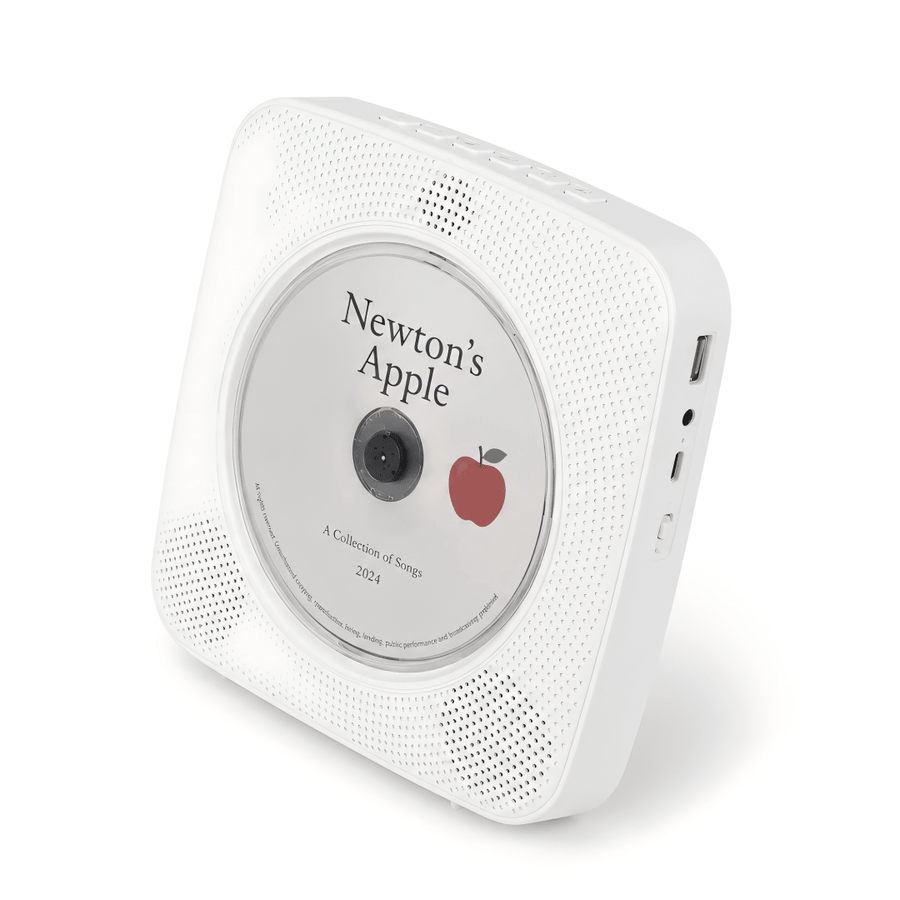
The Gueray Y01 Portable Bluetooth CD Player can send CD audio to compatible Bluetooth headphones or speakers and receive phone audio through its built-in speakers. It also includes rechargeable use, FM, USB, AUX, and tabletop or wall placement.
Gueray Y01 Voice: easier control across the room
The Gueray Y01 Voice-Controlled CD Player adds an offline voice-command remote while keeping Bluetooth transmit and receive functions. It is suited to users who want fewer button presses from a bed, desk, kitchen counter, or shared room.
Gueray Y02: two-way Bluetooth in a retro room design
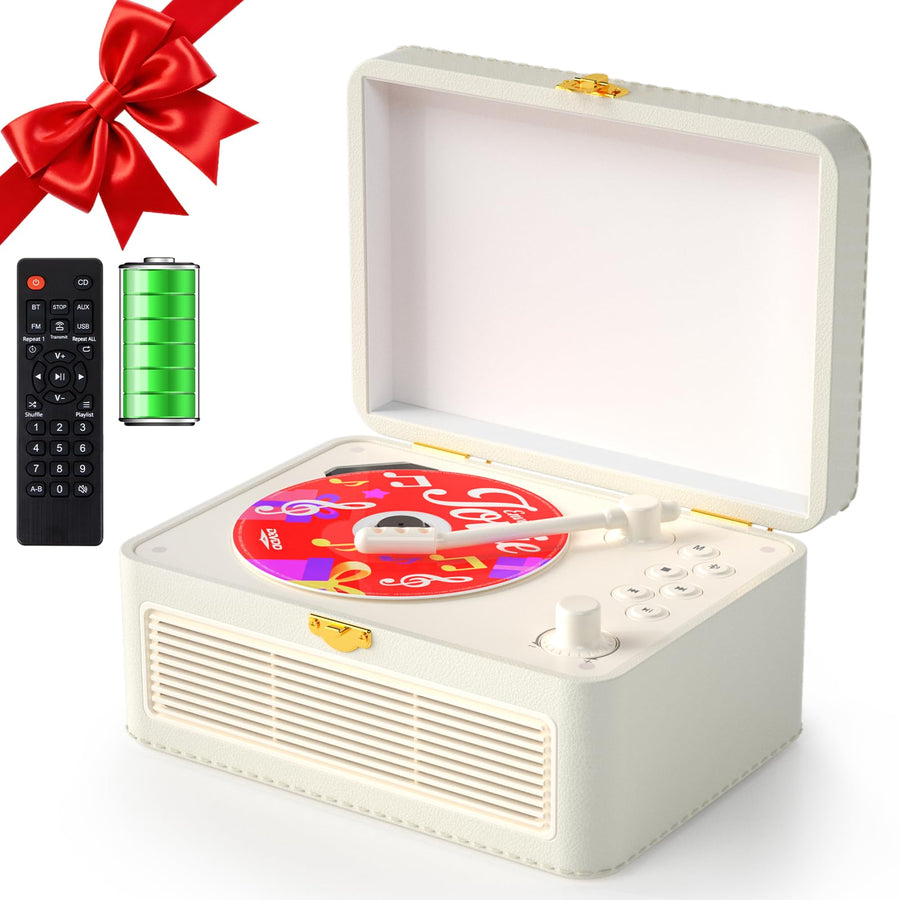
The Gueray Y02 Retro Bluetooth CD Player can play phone audio through the player or send CD audio to compatible Bluetooth speakers and headphones. Its built-in stereo speakers, physical controls, remote, and top-loading design are intended for visible home listening.
Gueray Y03: wireless listening with mood lighting
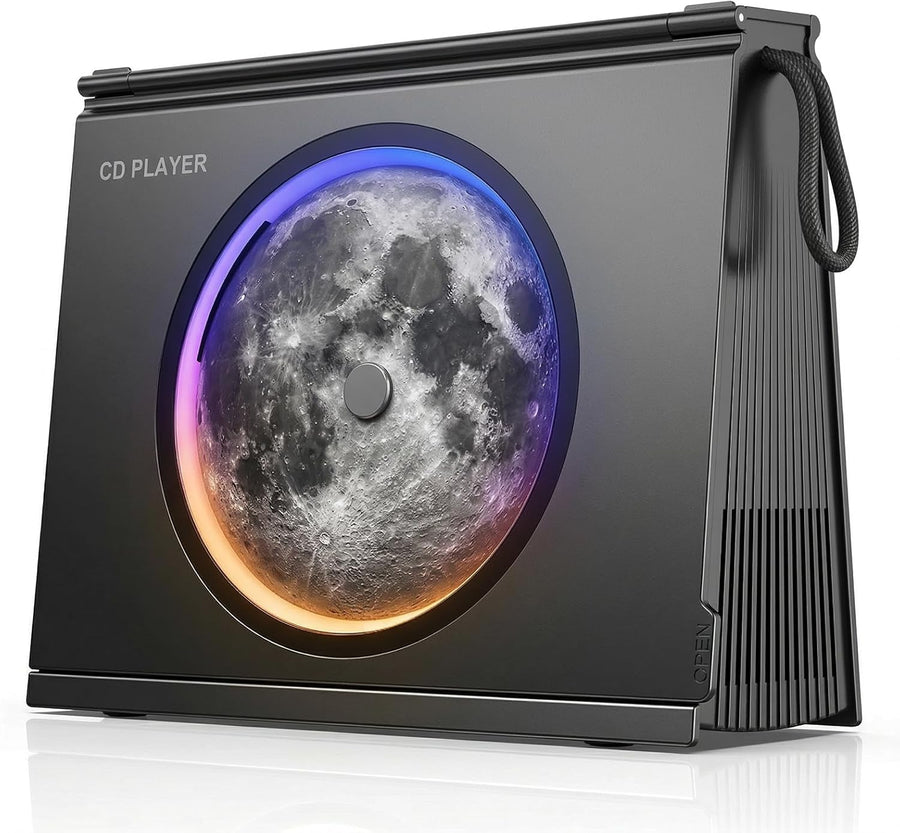
The Gueray Y03 Bluetooth CD Player with Mood Light combines Bluetooth transmit and receive modes with a rechargeable 4000mAh battery, built-in speakers, FM, USB, AUX, and a visible-disc design.
Choose by room, controls, portability, and playback needs—not by Bluetooth version alone. The important requirement for wireless CD listening is clearly stated transmitter support.
Ready to compare? Explore Gueray CD players and check the Bluetooth direction listed on each model before choosing the one that fits your room.
Frequently asked questions
Can every Bluetooth CD player connect to a Bluetooth speaker?
No. The CD player must support Bluetooth transmit or Bluetooth output. A receiver-only player can accept audio from a phone but cannot send CD audio to a wireless speaker.
Do I need a Bluetooth transmitter or receiver for a CD player?
To send CD audio to a wireless speaker or headphones, you need a transmitter. To play phone audio through the CD player's speakers, the player needs a receiver. A two-way model supports both roles.
Can I add Bluetooth to an old CD player?
Yes, if the player has a compatible audio output. Connect an external Bluetooth transmitter to its headphone, line, RCA, optical, or coaxial output, depending on the ports supported by both devices.
Can I connect AirPods to a CD player?
Potentially, if the CD player supports Bluetooth audio transmission and can complete the AirPods pairing process. Compatibility and pairing controls vary, so check both manuals rather than relying only on the Bluetooth version.
Does Bluetooth reduce CD audio quality?
Bluetooth audio is encoded for wireless transmission, and the codec used depends on both devices. The audible difference varies with the codec, speaker or headphones, room, and listener. If preserving the most direct signal path is your priority, use a wired output.
Can one CD player connect to two Bluetooth speakers?
Do not assume so. Many compact Bluetooth CD players connect to one receiving device at a time. Dual-device or broadcast playback requires explicit support in the product specifications.