


How to Choose an Easy-to-Use CD Player for Seniors
The easiest CD player for a senior is one that makes the essential actions obvious: load a disc, press play, adjust the volume, pause, and change tracks. When choosing an easy-to-use CD player for seniors, prioritize a clear everyday routine over the longest feature list. Built-in speakers reduce setup, while a well-organized remote or a limited voice-control option can make the player easier to operate from a chair, bed, or across the room.
More features do not automatically make a CD player harder to use. What matters is whether the person can reach the functions they use every day without accidentally changing modes or relying on a phone app.
If you are choosing a player for a parent, grandparent, partner, or yourself, start with the listener's existing habits. A person who has used CDs for decades may prefer a familiar volume knob and physical play button. Someone who finds small labels frustrating may benefit from remote operation or simple preset voice commands.
A quick clarification about voice control: A voice-controlled CD player is not necessarily an AI assistant. On the Gueray Y01 Voice, the listener presses the voice button on the included remote and says one of the supported preset commands. The player then carries out that command. It does not hold conversations, answer open-ended questions, or work like a generative AI assistant. The feature operates locally without a Wi-Fi connection, app, cloud account, or always-listening smart speaker.
What makes a CD player easy to use?
Ease of use is less about the total number of features and more about the path to the desired result.
For most listeners, the basic path should be short:
- Open the cover or tray.
- Place the disc correctly.
- Select CD mode if necessary.
- Press play.
- Adjust the volume.
A player may also offer Bluetooth, FM radio, USB, or AUX input. Those options can be useful, but they should not make ordinary CD playback difficult to find.
Before buying, think about the exact tasks the listener will perform most often. If the person only wants to play favorite albums, clear physical controls may matter more than a long feature list. If the player will sit across the room, a remote may be essential. If the listener moves between a bedroom, kitchen, and living room, rechargeable power may be more useful than a fixed stereo setup.
Seven features to check before you buy
1. Clear controls for everyday actions
Look for controls that separate the most common actions from less frequently used settings. Play/pause, stop, previous track, next track, and volume should be identifiable without searching through a menu.
Do not judge simplicity only by the number of buttons. A player with several clearly labeled physical buttons can be easier to understand than a minimalist device that hides every action behind one multifunction control.
If possible, show the product photos to the intended listener before ordering. Ask which button they would press to start a CD and how they would change the volume. Their answer is more useful than a generic claim that a product is “senior-friendly.”
2. Straightforward disc loading
Top-loading players let the listener see where the disc sits, while front-loading trays may feel familiar to people who used traditional home stereo systems. Neither design is universally better.
The important questions are practical:
- Is the lid or tray easy to reach?
- Is the center spindle easy to identify?
- Can the disc be placed flat without forcing it?
- Is there enough room around the player to open it fully?
Place the player on a stable surface where the lid can open without hitting a shelf. Avoid moving or shaking any CD player while a disc is spinning.
3. Built-in speakers
Built-in speakers remove several setup steps. The listener does not need to connect an amplifier, choose the correct input on another system, or troubleshoot a loose audio cable before pressing play.
External speakers may still be useful for a larger room, but they should be an option rather than a requirement if simplicity is the goal. Before buying, confirm whether the player can produce sound on its own or must be connected to separate audio equipment.
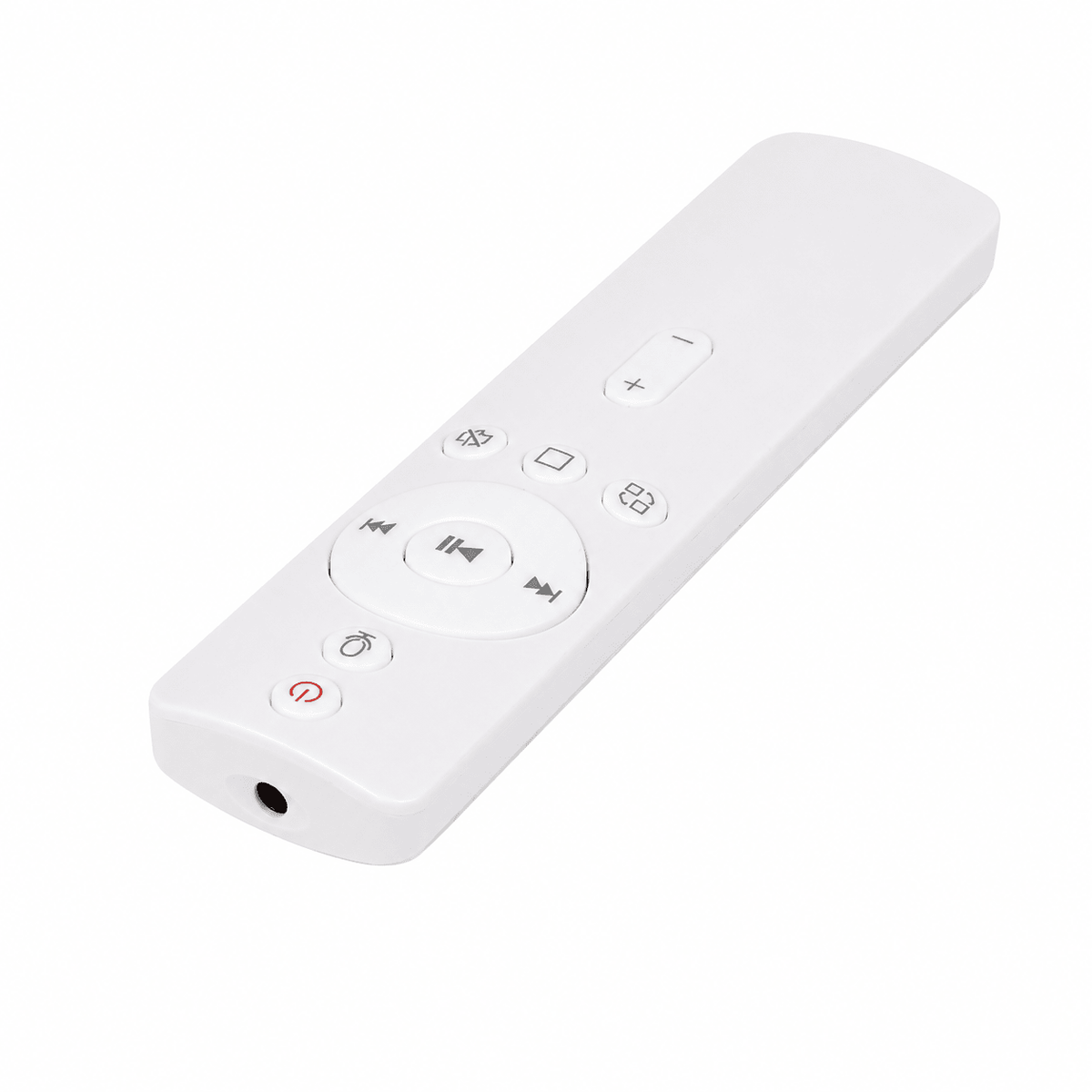
4. A remote that matches the listener's routine
A remote can make everyday listening easier when the player is on a shelf, desk, or dresser. It may also reduce the need to walk across the room for every volume or track change.
Check that the remote includes the controls the listener actually needs. A remote with dozens of similar-looking buttons may be less helpful than one with a clear layout. During setup, consider adding a small removable label or high-contrast marker beside the most frequently used buttons, as long as it does not cover the remote's sensor or printed instructions.
Some players add preset voice commands through a remote. This can reduce the need to locate a particular button, but the operating method should be explained accurately. With the Gueray Y01 Voice, the user must press the voice button on the included remote and then speak a supported preset command. This is local command recognition—not free-form conversation and not an AI assistant.
5. Familiar volume control
Volume should be easy to find and predictable to adjust. Some listeners prefer separate volume-up and volume-down buttons, while others find a physical knob more intuitive.
Think about where the player will be used. A bedside setup may benefit from a remote, while a player on a kitchen counter may be easier to adjust with a physical knob. If headphones will be used, confirm the connection type and begin at a low volume before putting them on.
6. Power that fits the room
A rechargeable CD player can move between rooms without requiring a nearby outlet during every listening session. That flexibility is useful only if charging remains easy to remember and the charging connection is simple to reach.
For a fixed setup, keeping the charging cable in one visible location may be more practical than moving it around the house. For a portable setup, choose a regular charging routine—for example, returning the player to the same charging spot after use.
Battery capacity alone does not tell you the exact listening time. Playback time can vary with volume, mode, Bluetooth use, lighting, and other everyday conditions. Treat published runtime figures as operating guidance rather than a guarantee for every session.
7. Support for the discs and listening options already in use
Check the product page or manual for the exact disc formats the player supports. This matters especially for home-recorded discs, MP3 CDs, language lessons, or audiobook collections.
Also decide whether the listener needs:
- wired headphones;
- Bluetooth headphones or a Bluetooth speaker;
- FM radio;
- USB playback;
- AUX input or output;
- repeat or A-B repeat for lessons and audiobooks.
Do not buy extra features only because they appear impressive. Start with the listener's real collection and daily routine.
Features that may add unnecessary complexity
The wrong feature is not necessarily a bad feature. It is simply one the listener does not need and may activate accidentally.
Potential sources of confusion include:
- several playback modes with similar abbreviations;
- touch-sensitive controls without tactile feedback;
- a remote filled with rarely used number and programming buttons;
- Bluetooth that requires repeated pairing;
- an FM tuner the listener never intends to use;
- controls that reset to a different mode after charging or power-off.
If a multifunction player otherwise fits the listener well, the family member setting it up can make the CD path easier. Leave the player in CD mode, store the manual nearby, and explain only the four or five controls needed for normal use. Additional features can remain available without becoming part of the daily routine.
Voice control or physical controls: which is easier?
Neither option is automatically better. The right choice depends on what currently causes friction.
Choose conventional physical controls when the listener:
- enjoys operating familiar buttons and knobs;
- keeps the player within easy reach;
- prefers not to remember spoken command wording;
- wants the most direct visual connection between an action and its result.
Consider preset voice commands when the listener:
- uses the player from bed, a sofa, or across the room;
- finds small remote labels difficult to locate in low light;
- is comfortable pressing one voice button and using a short supported command;
- wants local control without setting up an app or smart speaker.
Preset voice commands still require learning the supported phrases. Keep the command card or manual accessible during the first few sessions. Voice control should supplement the regular buttons and remote, not prevent the listener from using them.
A five-minute setup test for a family member
Before giving the player as a gift, complete a simple test with the person who will use it.
- Start with the player's regular power and charging setup. Show where the cable connects and where it will be stored.
- Use one familiar CD. Avoid introducing Bluetooth, radio, and USB during the first demonstration unless the listener specifically wants them.
- Ask the listener to load the disc. Let them complete the action instead of doing every step for them.
- Practice play, pause, track change, and volume. These are the controls most people need every day.
- Test the remote from the normal seating position. Make sure it can be aimed at the player without furniture blocking it.
- If using Y01 Voice, demonstrate the actual sequence. Press the voice button on the included remote, say a supported preset command, and wait for the player to respond. Explain that it cannot answer questions or understand unrestricted conversation.
- Write down a short routine. A one-page note such as “Open lid → insert CD → choose CD mode → press play” is more helpful than rewriting the entire manual.

If the listener can repeat the basic process comfortably, the setup is working. If not, change the placement or simplify the routine before assuming the product itself is unsuitable.
Two Gueray options for an easier home setup
Gueray does not make one universal player for every senior. These two models suit different preferences.
| Listening preference | Gueray Y01 Voice | Gueray Y02 |
|---|---|---|
| Main control style | Physical controls, regular remote, and supported preset voice commands through the included remote | Physical buttons, volume knob, voice prompts, and regular remote |
| Voice feature | Local preset command recognition after pressing the voice button; no AI conversation, app, Wi-Fi, or cloud account | Voice prompts, not conversational AI voice control |
| Speakers | Dual built-in 3W speakers | Built-in stereo speakers |
| Wireless audio | Bluetooth transmit and receive | Bluetooth transmit and receive |
| Other modes | FM, USB, AUX, CD-R and CD-RW support | FM, USB, AUX and CD playback |
| Placement | Rechargeable room-to-room design; desk, nightstand, shelf, kitchen counter, or wall placement | Top-loading retro room player with a 3600mAh rechargeable battery |
| Best fit | Someone who wants an additional way to control common actions from across the room | Someone who prefers a visible top-loading design, physical volume knob, and conventional remote |
The Gueray Y01 Voice is the stronger fit when preset voice commands would reduce tiny-button frustration. The regular buttons and remote remain available, so voice operation is optional rather than the only way to use the player.
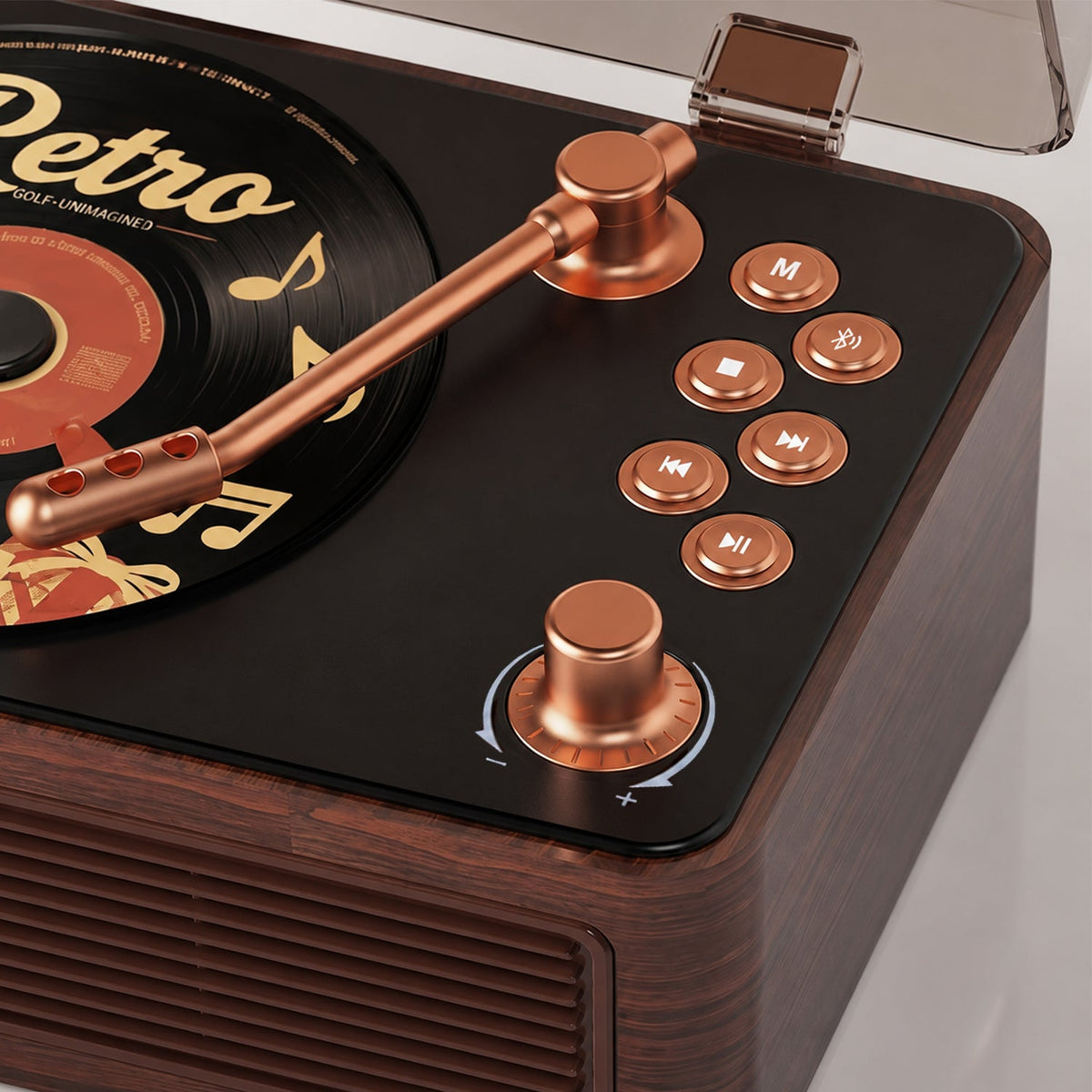
The Gueray Y02 may suit someone who prefers a physical volume knob, clear top-mounted controls, a top-loading lid, and a traditional remote. Its built-in rechargeable battery allows room-to-room use, while charging and playback time vary with mode, volume, and usage.
If Bluetooth is part of the plan, read How to Connect a CD Player to a Bluetooth Speaker before buying. A player must support Bluetooth transmission to send CD audio to wireless headphones or speakers; receiver-only Bluetooth serves a different purpose.
Before giving a CD player as a gift
A CD player becomes a better gift when it arrives ready to use.
- Choose one or two familiar albums rather than an unrelated stack of discs.
- Charge the player before wrapping it.
- Confirm that the remote has the required battery.
- Check the package contents against the current product listing.
- Place a short printed instruction card inside the box.
- Save the Gueray FAQ and user manual location for future setup questions.
- Ask where the player will live so there is enough space to open the lid and aim the remote.
The goal is not to remove every feature. It is to make the first listening session feel familiar and successful.
Final buying checklist
Before ordering an easy-to-use CD player for a senior, confirm that:
- the listener can identify play, pause, track, and volume controls;
- the disc-loading method feels comfortable;
- built-in speakers are included if no separate audio system will be used;
- the remote works from the intended chair or bed;
- any voice feature is understood correctly;
- the power and charging routine fits the room;
- the player supports the listener's actual discs and headphones;
- unnecessary modes can stay out of the everyday routine;
- the product has accessible support and a manual if questions arise.
The best choice is the player that the intended listener can use confidently—not the model with the longest specification list.
Ready to compare the controls? See the Gueray Y01 Voice for preset local voice commands through the included remote, or browse all Gueray CD players by room and listening style.
Frequently asked questions
What is the easiest type of CD player for seniors to use?
Look for a player with clear play and volume controls, straightforward disc loading, built-in speakers, and a remote that matches the listener's normal seating position. The simplest choice depends on the person's existing habits; some prefer physical knobs, while others benefit from limited remote-based voice commands.
Is a voice-controlled CD player the same as an AI assistant?
No. Voice features vary by model. Gueray Y01 Voice recognizes supported preset commands only after the user presses the voice button on the included remote. It carries out those commands locally but cannot hold a conversation, answer open-ended questions, or act as a generative AI assistant.
Does Gueray Y01 Voice require Wi-Fi or an app?
No. Its supported voice commands work locally through the included remote without Wi-Fi, an app, a cloud account, or an always-online smart speaker. The user must press the remote's voice button before speaking a supported command.
Are built-in speakers important?
Built-in speakers make setup shorter because the listener can play a CD without connecting a separate amplifier or speaker. External or Bluetooth speakers can remain optional for people who want a different listening setup.
Is a top-loading CD player easier to use?
It can be easier for someone who wants to see the disc and spindle directly, but the lid needs enough space to open fully. Other listeners may prefer the front-loading tray they remember from a home stereo. Choose the loading method the intended user finds familiar.
Can a senior use Bluetooth headphones with a CD player?
Yes, if the CD player explicitly supports Bluetooth transmission and the headphones are compatible. Bluetooth receiver mode alone does not send CD audio out. If pairing adds unnecessary complexity, wired headphones may provide a simpler alternative.